Creating Forms with Separate Input and Processing in HTML5 and PHP
Welcome back to Kuasai Teknologi! This time, I’ll be sharing a tutorial on creating forms with separate input and processing. By “separate,” I mean the page reloads from one page to another, displaying the data entered on the first page.
The <form> Tag
In HTML5, a form is defined with the <form> tag and closed with </form>. The opening <form> tag is followed by action and method attributes.
- Action: Specifies the page used to process the input.
- Method: Defines how the content is sent. There are two common methods:
- GET: Variables are visible in the URL.
- POST: Variables are hidden and not visible in the URL, making it more secure and suitable for sensitive information like passwords.
It’s also crucial to understand the “name” attribute for each form object (like inputs or text areas). This attribute is used to reference the variables on the processing page.
Creating the Input Form
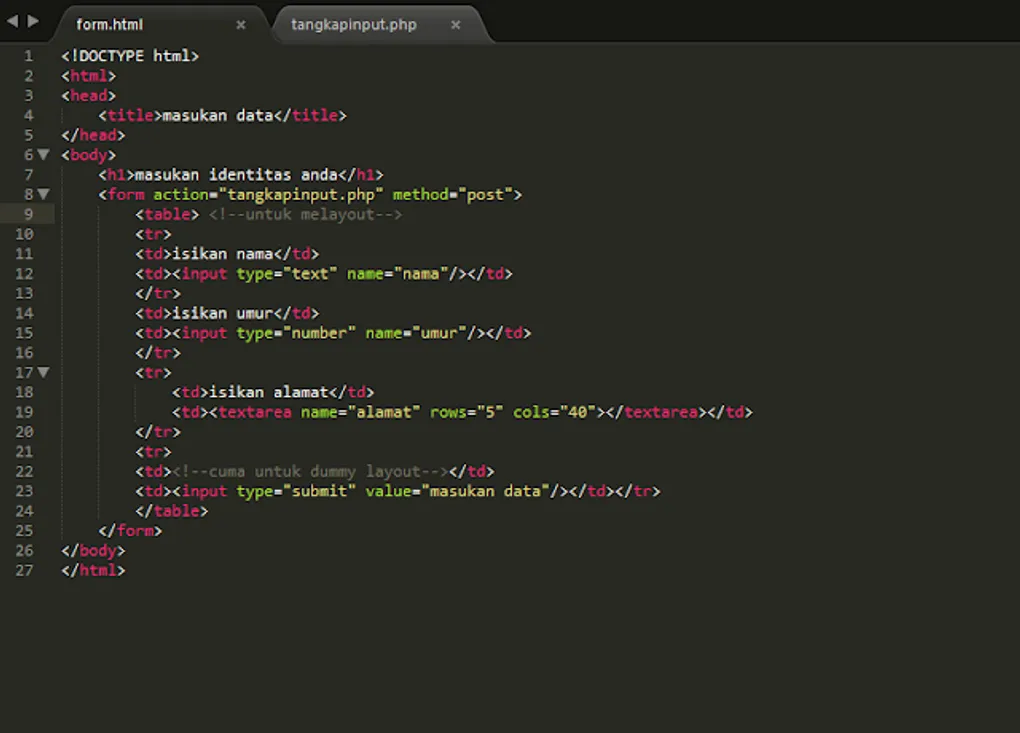
Below is the code for receiving user input. This file can be saved as .html or .php since it only contains HTML code to render the form and define its action.
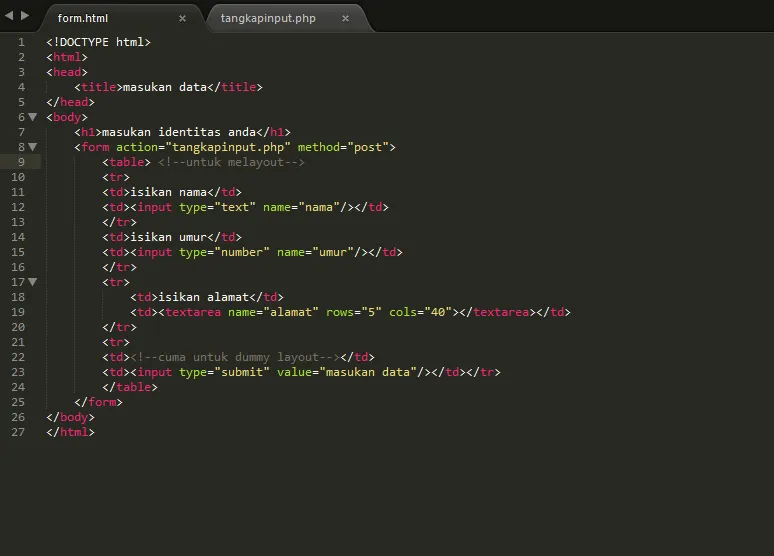 Image 1
When run in a browser, it looks like this:
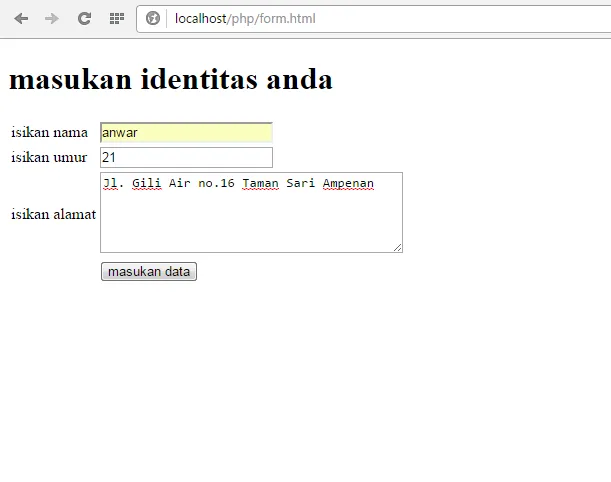 Image 2
Processing the Input
To process the data, you need to create a file named tangkapaninput.php. Pay close attention to the name attributes of the form objects. In PHP, you retrieve these values using $_POST['variable_name']. For example, to get the value from an input with name="nama", use $_POST['nama'].
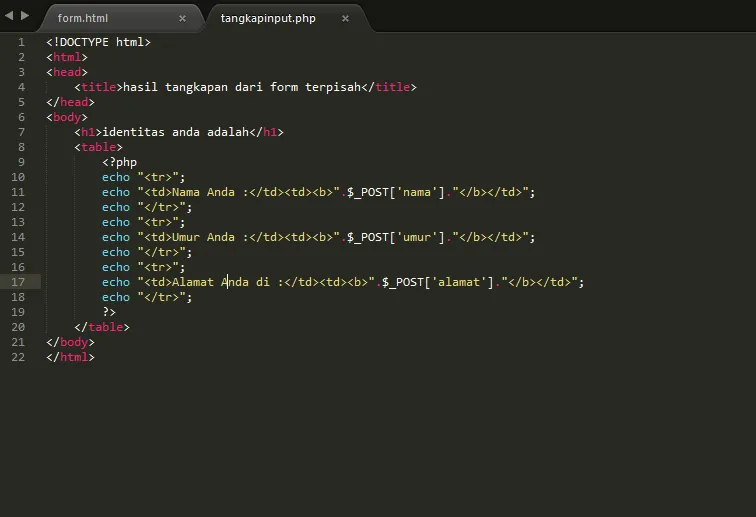 Image 3
The script in Image 3 retrieves the variables from the form in Image 1 and displays them using labels for layout.
When you run this in a browser after submitting the form, it displays the results as follows:
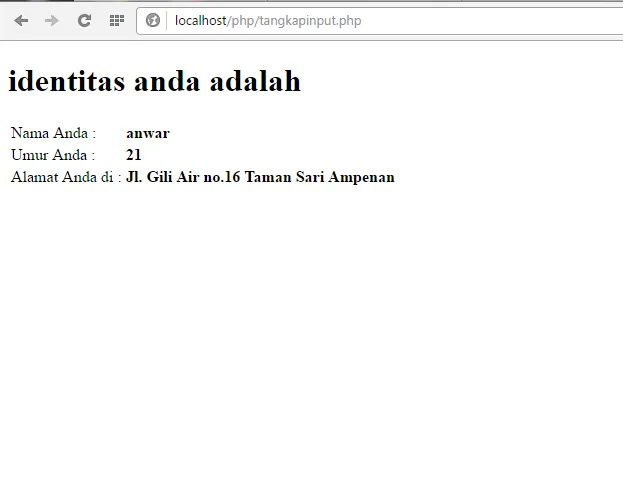 Image 4
The data shown in Image 4 is what the user filled out in Image 2.
That’s all for today’s tutorial! Don’t forget to practice immediately!