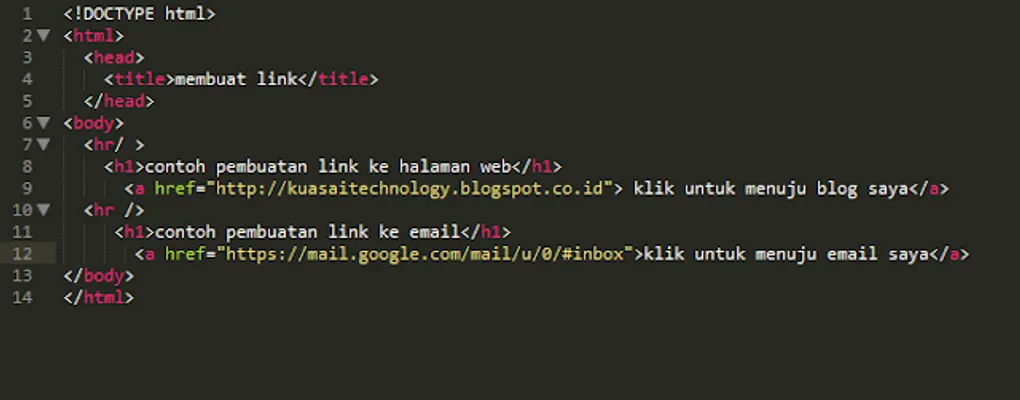
Creating Links Using HTML5
Greetings to all! In this post, I will share a tutorial on how to create links using HTML. Let’s look at the steps:
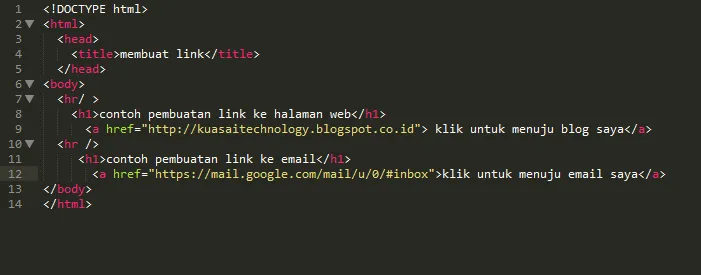 Image 1
HTML Elements Explanation
The code in Image 1 shows the standard structure of an HTML document:
<html>: The root element that begins the HTML code.<head>: A container for metadata like<link>,<meta>, and<title>.<title>: Displays the title of the page in the browser tab.<body>: Contains the visible content of the web page.</html>: Closes the HTML document.
Within the <body>, we use:
<hr/>: Creates a horizontal line as a separator.<h1>: Defines the main heading of the page.<a href>: The anchor tag used to specify the link destination.
Output in the Browser
When the code from Image 1 is saved as an HTML file and opened in a browser, it looks like this:
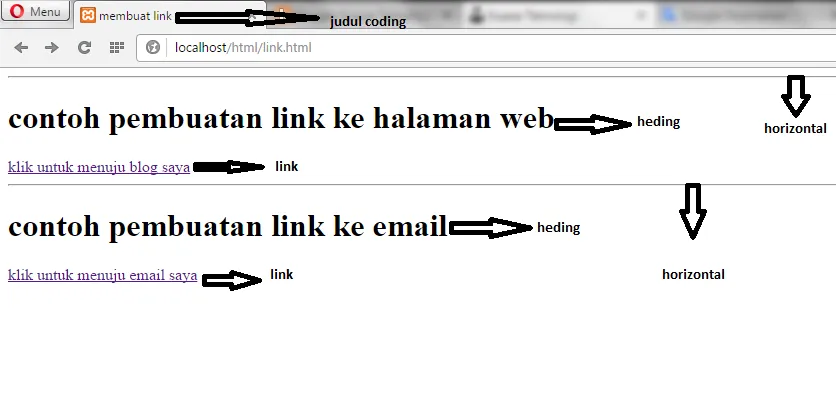 Image 2
If you click on the “blog” link, it will take you to the URL specified in the code. I used the “Kuasai Teknologi” link as an example:
 Image 3
The same applies to the email link; clicking it will open your default email client with the specified address.
I hope this tutorial is clear. If you have any questions, feel free to leave a comment.
You can also watch the video tutorial below:
That’s it for now! See you again!