Made in Figma: Design Based on Trends
This past year was a big one for design. More people, in more places, are participating in the design process, and new features like system analysis open doors to measure the value of design work.
Design is evolving as both an industry and a craft. As 2019 ended, we were curious about the tastes and tendencies of those designing in Figma. What typefaces, styles, and pantones were most popular? What frame sizes were most common? What does it look like, at a file level, for teams to design together? We dug into anonymous product data to see what we could learn. Some results were expected, others surprising, but all make us more excited about the future of design.
Here’s what 2019 looked like in Figma:
File Styles: Your Favorite Colors and Fonts
Figma provides space for all phases of design, from freeform exploration to full prototypes. Fonts, styles, and colors play a crucial role in creating something that fully expresses a product and brand.
Keep it Cool
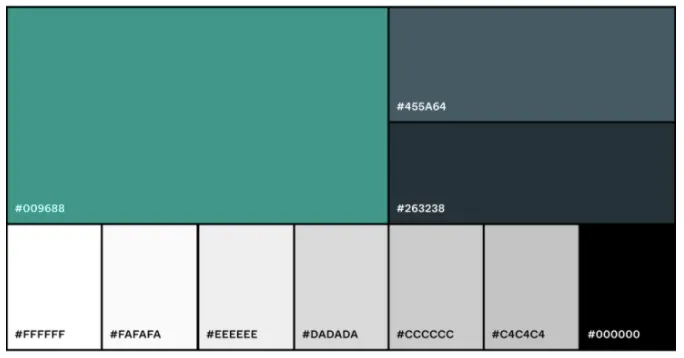
Beyond shades of gray, Figma customers stayed “cool” this year with a lot of greens and blues. The most common non-gray color used was #009688, followed by two dark blues, #455A64 and #009688 again. These colors are quite a departure from the Pantone 2019 Color of the Year, Living Coral (#FF6F61).
Google Fonts Reign Supreme
In Figma, you can choose from over 900 pre-installed fonts or add custom ones. Unsurprisingly, the top three fonts in 2019 were Montserrat, Open Sans, and Lato—all of which are Google Fonts. Because they are so readily available in Figma, Google Fonts represent six of the top 10 most-used fonts. While not available out of the box, SF Pro Text, SF Pro Display, and Proxima Nova also cracked the top 20.
While we weren’t surprised to see Apple’s UI fonts as top contenders, we were surprised to find that Arial surpassed Helvetica in the system font race.
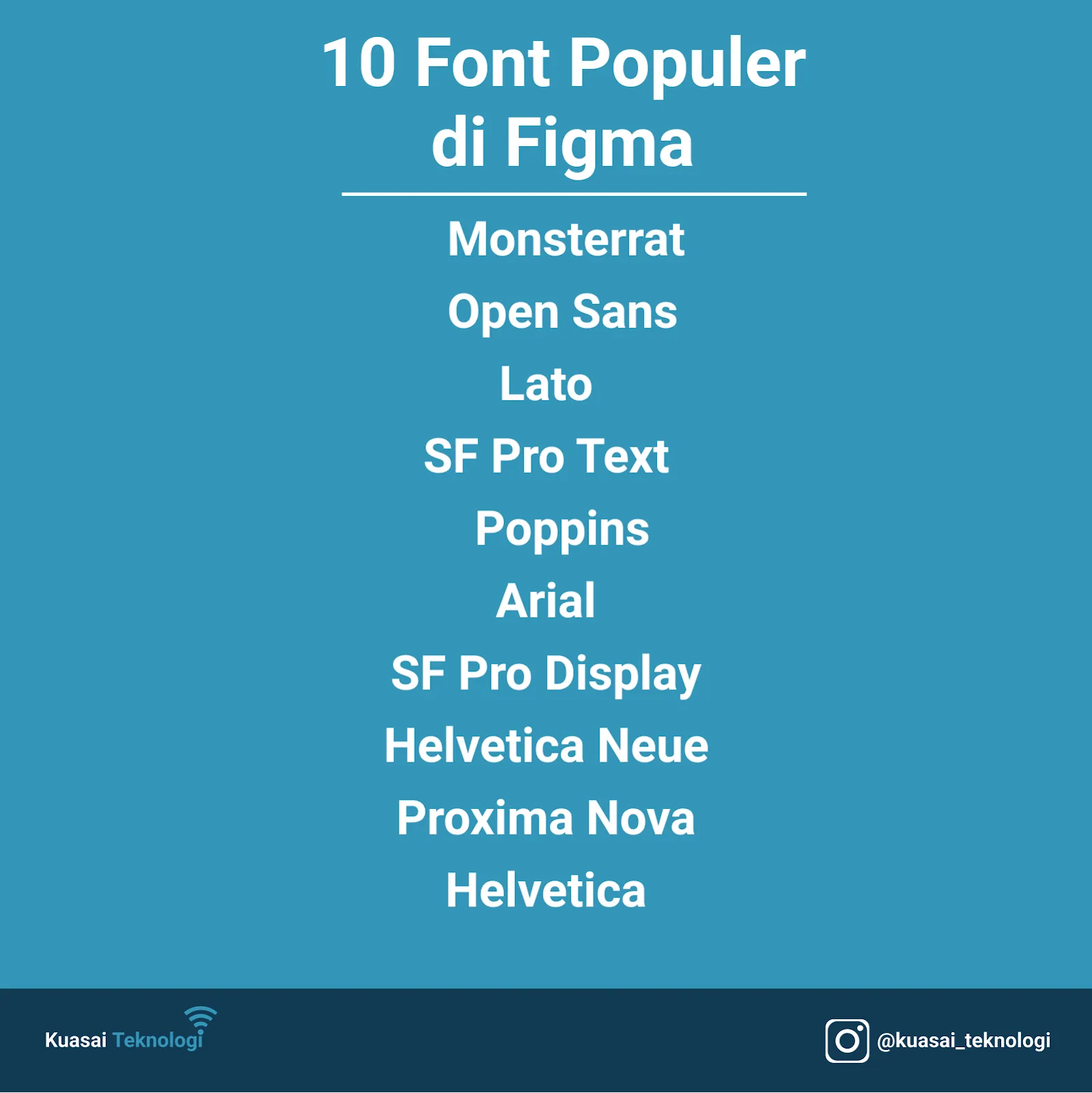
90% of all font usage is concentrated in the top 11 (the top 10 above + Roboto, the default). We look forward to seeing how typography usage evolves as designers continue to push the boundaries of creativity and readability.
Beyond the Top 10
Font Awesome, the premier icon font, ranked #31—not bad in a character-dominated world. The old-but-goodie Times New Roman didn’t make the top 50 (ranking #55). And we have to go beyond the top 20 to find our first Serif font, Playfair Display (ranking #22).
Getting Heavy
Finding the right font isn’t enough on its own. Text styling is a key factor in bringing a design to full expression, and we saw some clear preferences. Figma users are 13x more likely to manipulate font weight than to use italics. In fact, 1/3 of all Figma files use a Bold or Semibold style.
Framing Your Design
Figma comes with 36 frame options to serve as a starting point, and 33% of files created in Figma start with one of these predefined frames.
Among those who start with a preset frame, the Desktop 1440 x 1024 frame is the most popular, with mobile frames for iPhone X and iPhone 8 right behind. With global Windows penetration far exceeding OS X, you might have expected a different order.
Collaborating in Figma: More People, More Places
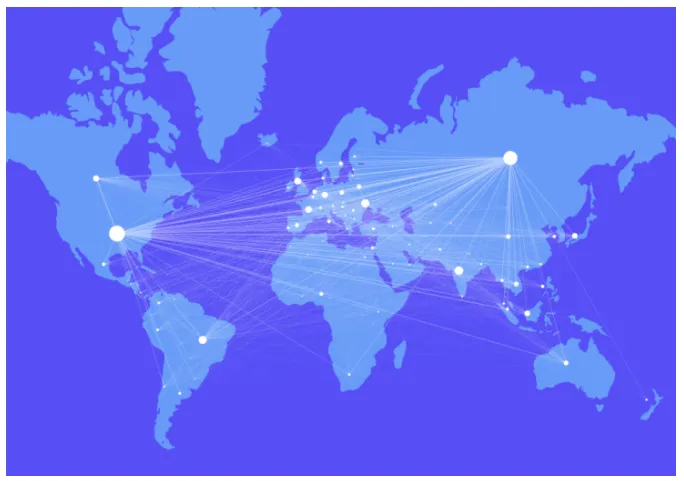
Figma was built on the idea that design should be more open and collaborative, and we see that reflected in how Figma users work together. Wherever you and your teammates work, you’ll always have a home on the web to design together.
Read also: Designing with Adobe Photoshop
Building Products Collectively
Across larger organizations, the average number of collaborators per file is six. These teams can be a mix of designers, developers, product managers, writers, and others. We looked into the file lifecycle to learn how these groups work together.
A design file typically starts with one user designing independently. After an average of 19 days, the first collaborator is invited to review, comment, or help design. While the final edit is made on day 52 on average, we see developers joining early not just to learn and expand scope, but also other collaborators jumping in to view designs or grab code snippets and specs.
Designing Without Borders
Figma users collaborate across many countries and time zones. With almost every continent represented, we see teams working together worldwide. Overall, more than 80% of Figma’s current active users are outside the United States.
It’s exciting to see design hubs in Eastern Europe, Asia, and Africa lighting up. Design products have historically favored Mac OS, but Figma’s OS-agnostic tools open collaboration paths for regions with more platform diversity.